Google Flights API
Scrape Google Flights results and return structured flight data from Google travel search pages.
Scrape Google Flights results and receive structured flight search data.
To enable this engine, set engine=google_flights.
Interacting with the Google Flights scraper is straightforward. Compared with the Google Search API, the Google Flights API exposes fewer options, but the data it returns is still rich and accurate.
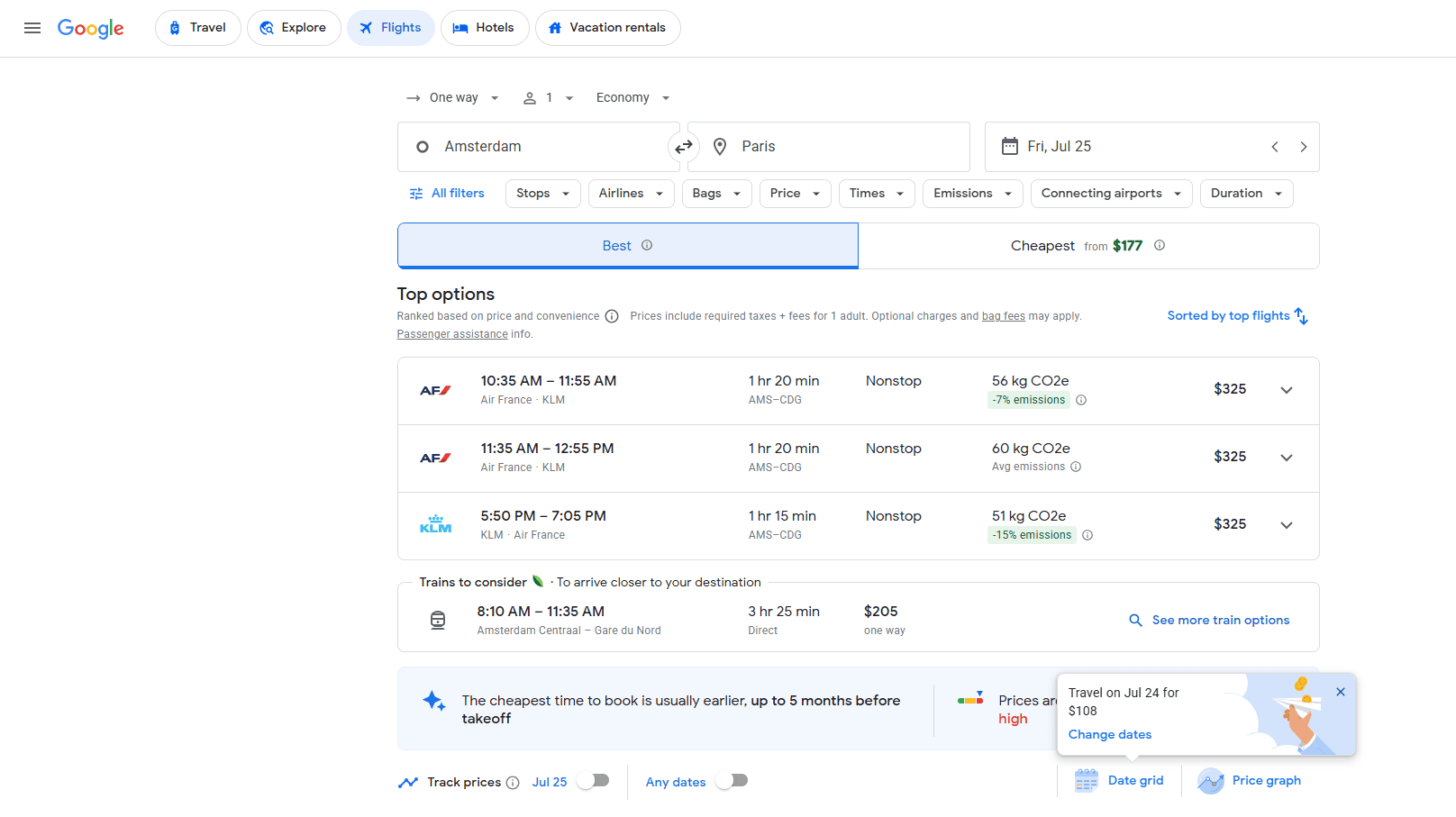
Scrape Google Flights Results
Google Flights API Integration Examples
We will use the following URL as an example request:
https://serpapi.webscrapingapi.com/v2?engine=google_flights&api_key=<YOUR_API_KEY>&q=CBwQAhonEgoyMDI1LTA3LTI1agsIAhIHL20vMGszcHIMCAMSCC9tLzA1cXRqQAFIAXABggELCP___________wGYAQIReady to Use Google Flights Scraping Scripts
curl --request GET \
  --url "https://serpapi.webscrapingapi.com/v2?engine=google_flights&api_key=<YOUR_API_KEY>&q=CBwQAhonEgoyMDI1LTA3LTI1agsIAhIHL20vMGszcHIMCAMSCC9tLzA1cXRqQAFIAXABggELCP___________wGYAQI"
const response = await fetch("https://serpapi.webscrapingapi.com/v2?engine=google_flights&api_key=<YOUR_API_KEY>&q=CBwQAhonEgoyMDI1LTA3LTI1agsIAhIHL20vMGszcHIMCAMSCC9tLzA1cXRqQAFIAXABggELCP___________wGYAQI", {
method: "GET"
});
const data = await response.text();
console.log(data);import http.client
connection = http.client.HTTPSConnection("serpapi.webscrapingapi.com")
connection.request("GET", "/v2?engine=google_flights&api_key=<YOUR_API_KEY>&q=CBwQAhonEgoyMDI1LTA3LTI1agsIAhIHL20vMGszcHIMCAMSCC9tLzA1cXRqQAFIAXABggELCP___________wGYAQI")
response = connection.getresponse()
data = response.read()
print(data.decode("utf-8"))<?php
$curl = curl_init();
curl_setopt_array($curl, [
CURLOPT_URL => "https://serpapi.webscrapingapi.com/v2?engine=google_flights&api_key=<YOUR_API_KEY>&q=CBwQAhonEgoyMDI1LTA3LTI1agsIAhIHL20vMGszcHIMCAMSCC9tLzA1cXRqQAFIAXABggELCP___________wGYAQI",
CURLOPT_RETURNTRANSFER => true,
CURLOPT_TIMEOUT => 30,
CURLOPT_CUSTOMREQUEST => "GET",
]);
$response = curl_exec($curl);
$error = curl_error($curl);
curl_close($curl);
echo $error ? "cURL Error #: " . $error : $response;package main
import (
"fmt"
"io"
"log"
"net/http"
)
func main() {
requestURL := "https://serpapi.webscrapingapi.com/v2?engine=google_flights&api_key=<YOUR_API_KEY>&q=CBwQAhonEgoyMDI1LTA3LTI1agsIAhIHL20vMGszcHIMCAMSCC9tLzA1cXRqQAFIAXABggELCP___________wGYAQI"
response, err := http.Get(requestURL)
if err != nil {
log.Fatal(err)
}
defer response.Body.Close()
body, err := io.ReadAll(response.Body)
if err != nil {
log.Fatal(err)
}
fmt.Println(string(body))
}HttpResponse<String> response = Unirest
.get("https://serpapi.webscrapingapi.com/v2?engine=google_flights&api_key=<YOUR_API_KEY>&q=CBwQAhonEgoyMDI1LTA3LTI1agsIAhIHL20vMGszcHIMCAMSCC9tLzA1cXRqQAFIAXABggELCP___________wGYAQI")
.asString();
System.out.println(response.getBody());var client = new RestClient("https://serpapi.webscrapingapi.com/v2?engine=google_flights&api_key=<YOUR_API_KEY>&q=CBwQAhonEgoyMDI1LTA3LTI1agsIAhIHL20vMGszcHIMCAMSCC9tLzA1cXRqQAFIAXABggELCP___________wGYAQI");
var request = new RestRequest(Method.GET);
IRestResponse response = client.Execute(request);
Console.WriteLine(response.Content);require "uri"
require "net/http"
require "openssl"
url = URI("https://serpapi.webscrapingapi.com/v2?engine=google_flights&api_key=<YOUR_API_KEY>&q=CBwQAhonEgoyMDI1LTA3LTI1agsIAhIHL20vMGszcHIMCAMSCC9tLzA1cXRqQAFIAXABggELCP___________wGYAQI")
http = Net::HTTP.new(url.host, url.port)
http.use_ssl = true
http.verify_mode = OpenSSL::SSL::VERIFY_NONE
request = Net::HTTP::Get.new(url)
response = http.request(request)
puts response.read_bodyGoogle Flights Specific Parameters
Query Parameter
| Parameter | Type | Required | Description |
|---|---|---|---|
q | string | ✅ | The Google Flights query token used to run the flight search. |
Device and Geolocation Parameters
| Parameter | Type | Required | Description |
|---|---|---|---|
device | string | ❌ | Device type used for the search. Supported values include desktop, mobile, and tablet. |
hl | string | ❌ | Interface language for the Google Flights search. |
gl | string | ❌ | Country code used to localize the Google Flights search. |
curr | string | ❌ | Currency used to display flight prices. |
Response example
{
  "search_parameters": {
    "engine": "google_flights",
    "q": "CBwQAhonEgoyMDI1LTA3LTI1agsIAhIHL20vMGszcHIMCAMSCC9tLzA1cXRqQAFIAXABggELCP___________wGYAQI"
  },
  "search_results": [
    {
      "departure_airport": "Madrid",
      "arrival_airport": "London",
      "duration": "2 hr 25 min",
      "price": "$124"
    }
  ]
}