Google Search Async API
Start an asynchronous Google Search scrape and retrieve the finished SERP payload with the Snapshot API.
Scrape Google Search results asynchronously and fetch the completed result when it is ready.
To enable this engine, set engine=google_async.
Scraping Google Search results asynchronously takes a lot of effort in the background, as Google has multiple ways to detect and prevent scrapers. With the Google Async API, you only need to send a GET request to our async endpoint. The engine immediately returns a snapshot_id, which you then pass to the Snapshot API to fetch the results as soon as they are ready.
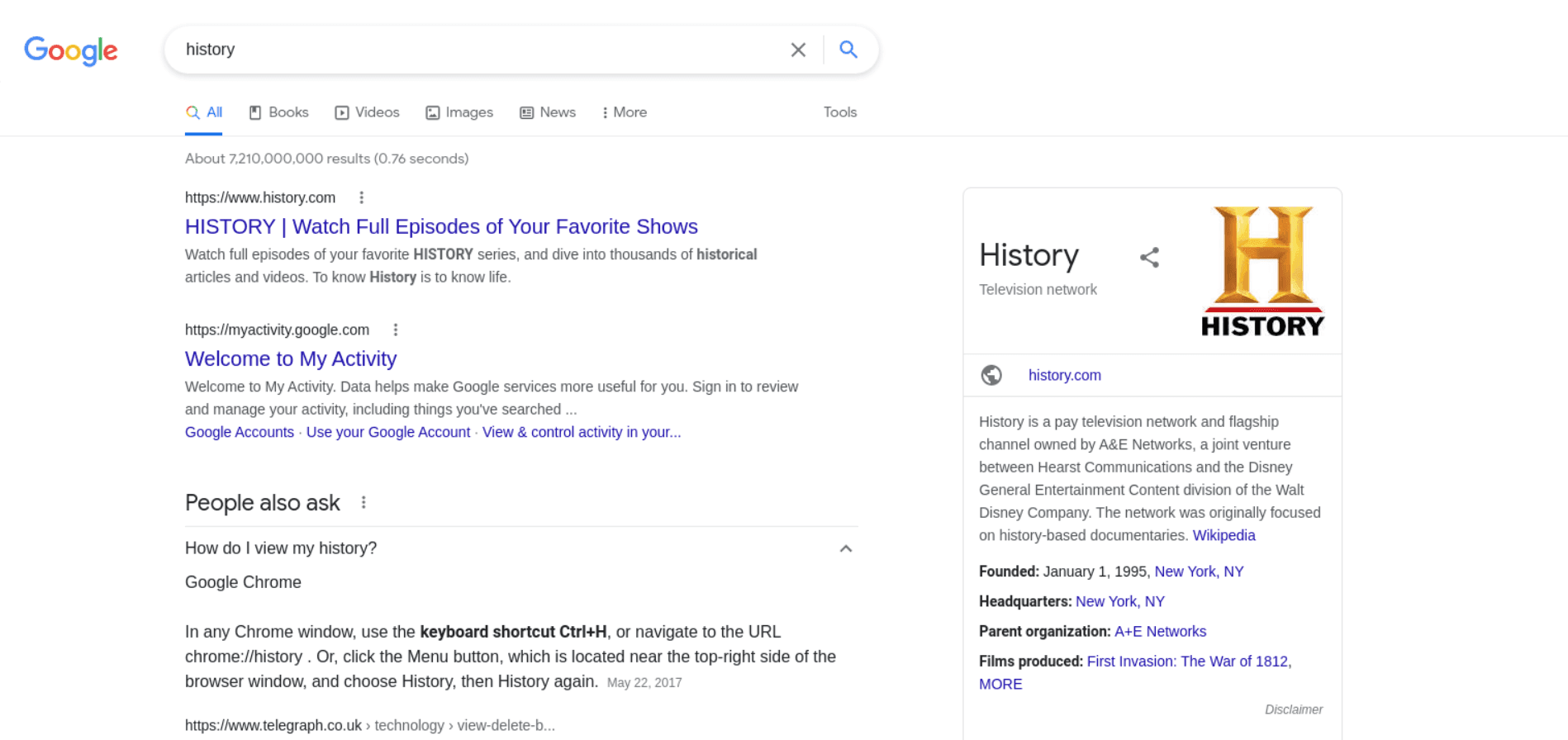
Scrape Google Search Results
Google Search Async API Integration Examples
We will use the following URL as an example request:
https://serpapi.webscrapingapi.com/v2?engine=google_async&api_key=<YOUR_API_KEY>&q=historyReady to Use Google Async Search Scraping Scripts
curl --request GET \
  --url "https://serpapi.webscrapingapi.com/v2?engine=google_async&api_key=<YOUR_API_KEY>&q=history"
const response = await fetch("https://serpapi.webscrapingapi.com/v2?engine=google_async&api_key=<YOUR_API_KEY>&q=history", {
method: "GET"
});
const data = await response.text();
console.log(data);import http.client
connection = http.client.HTTPSConnection("serpapi.webscrapingapi.com")
connection.request("GET", "/v2?engine=google_async&api_key=<YOUR_API_KEY>&q=history")
response = connection.getresponse()
data = response.read()
print(data.decode("utf-8"))<?php
$curl = curl_init();
curl_setopt_array($curl, [
CURLOPT_URL => "https://serpapi.webscrapingapi.com/v2?engine=google_async&api_key=<YOUR_API_KEY>&q=history",
CURLOPT_RETURNTRANSFER => true,
CURLOPT_TIMEOUT => 30,
CURLOPT_CUSTOMREQUEST => "GET",
]);
$response = curl_exec($curl);
$error = curl_error($curl);
curl_close($curl);
echo $error ? "cURL Error #: " . $error : $response;package main
import (
"fmt"
"io"
"log"
"net/http"
)
func main() {
requestURL := "https://serpapi.webscrapingapi.com/v2?engine=google_async&api_key=<YOUR_API_KEY>&q=history"
response, err := http.Get(requestURL)
if err != nil {
log.Fatal(err)
}
defer response.Body.Close()
body, err := io.ReadAll(response.Body)
if err != nil {
log.Fatal(err)
}
fmt.Println(string(body))
}HttpResponse<String> response = Unirest
.get("https://serpapi.webscrapingapi.com/v2?engine=google_async&api_key=<YOUR_API_KEY>&q=history")
.asString();
System.out.println(response.getBody());var client = new RestClient("https://serpapi.webscrapingapi.com/v2?engine=google_async&api_key=<YOUR_API_KEY>&q=history");
var request = new RestRequest(Method.GET);
IRestResponse response = client.Execute(request);
Console.WriteLine(response.Content);require "uri"
require "net/http"
require "openssl"
url = URI("https://serpapi.webscrapingapi.com/v2?engine=google_async&api_key=<YOUR_API_KEY>&q=history")
http = Net::HTTP.new(url.host, url.port)
http.use_ssl = true
http.verify_mode = OpenSSL::SSL::VERIFY_NONE
request = Net::HTTP::Get.new(url)
response = http.request(request)
puts response.read_bodyGoogle Search Specific Parameters
Query Parameter
| Parameter | Type | Required | Description |
|---|---|---|---|
q | string | ✅ | The keywords that you are searching for on Google. |
Request Customization Parameters
| Parameter | Type | Required | Description |
|---|---|---|---|
tbm | string | ❌ | Defines the search vertical. Use isch for images, vid for videos, nws for news, or shop for shopping. Leave it unset for regular Google Search results. |
ibp | string | ❌ | Used for jobs search. Example: ibp=htl;jobs. |
Device and Geolocation Parameters
| Parameter | Type | Required | Description |
|---|---|---|---|
device | string | ❌ | Device type used for the search. Supported values include desktop, mobile, and tablet. |
domain | string | ❌ | Google domain to use for the search. |
uule | string | ❌ | Google encoded location to use for the search. |
hl | string | ❌ | Interface language for the Google search. |
gl | string | ❌ | Country code used to localize the Google search. |
Pagination Parameters
| Parameter | Type | Required | Description |
|---|---|---|---|
start | int | ❌ | Offset of the Google Search results. Represents how many results to skip. |
num | int | ❌ | Number of results returned on each page. |
Response example
The async request returns a snapshot_id that identifies the background scrape.
{
  "response_id": "s1w8t1750955223747rhnkc6ldmg9"
}
Retrieving Results Using the Snapshot API
Use the returned snapshot_id with the Snapshot API:
https://ecom.webscrapingapi.com/v1?api_key=<YOUR_API_KEY>&snapshot_id=s1w8t1750955223747rhnkc6ldmg9&type=serp{
"status": "finished",
"snapshot_id": "s1w8t1750955223747rhnkc6ldmg9",
"result": {
"general": {
"search_engine": "google",
"page_title": "history - Google Search"
},
"organic": [
{
"title": "HISTORY | Watch Full Episodes of Your Favorite Shows",
"link": "https://www.history.com/",
"rank": 1
}
]
}
}