Amazon New Releases
Stay up to date with trends by scraping Amazon's new releases.
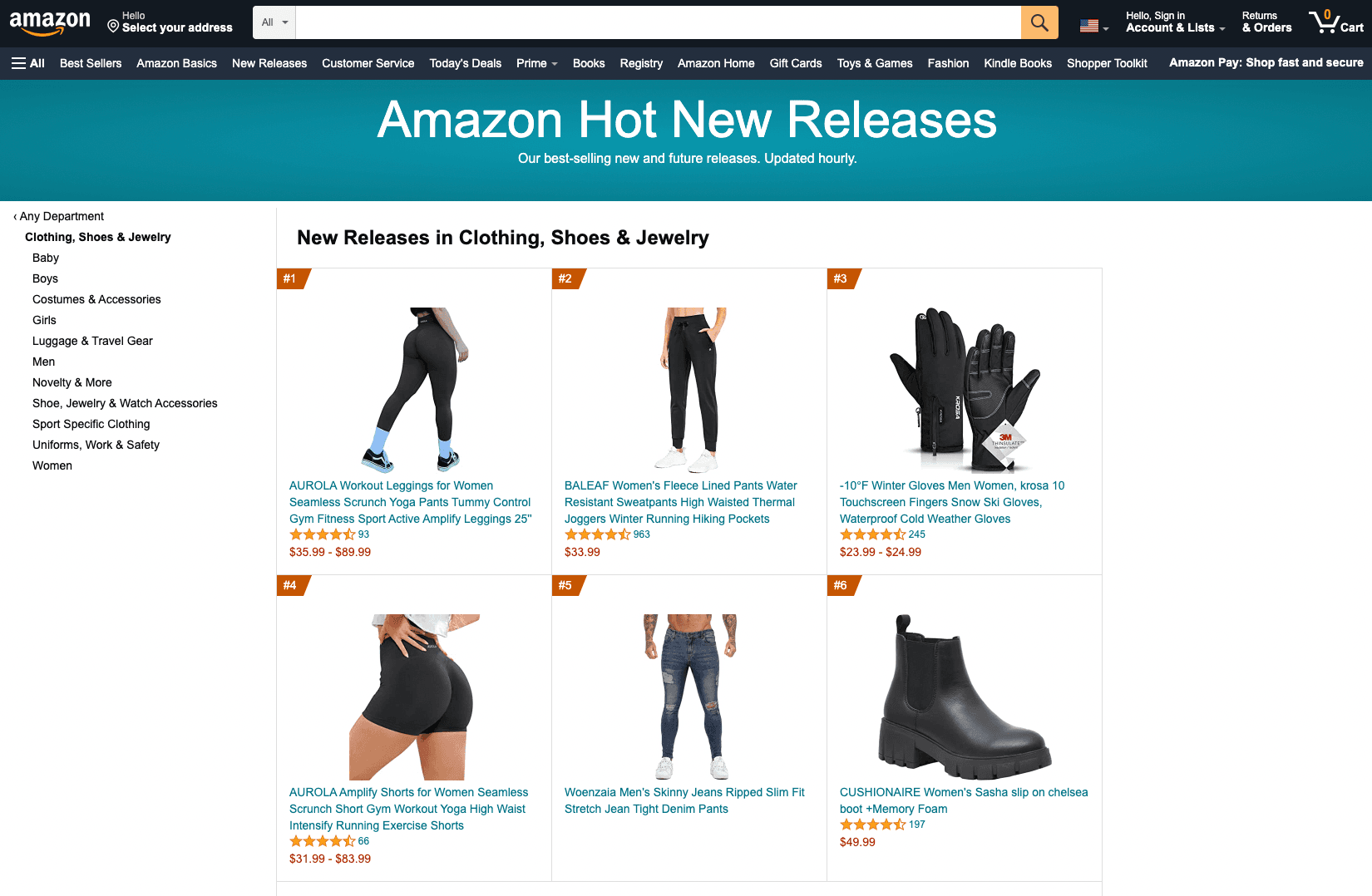
Stay up to date with the trends by scraping Amazon's new releases.
To enable this feature, set the type=new-releases parameter.
The Amazon API's New Releases feature returns a JSON object of the latest products released, along with valuable data about the products, ensuring you are up to date and your business is always ahead of the competition.
Amazon New Releases Parameters
The Amazon New Releases feature only takes two specific parameters:
| Parameter | Required | Type | Description |
|---|---|---|---|
category_id | ✅ | string | The ID of the category you are searching for. Use it together with parent_alias when searching for sub-categories. |
parent_alias | ❌ | string | Specify the parent category alias when searching for sub-categories. |
Your full GET request should then be sent to the following address:
https://ecom.webscrapingapi.com/v1?engine=amazon&api_key=<YOUR_API_KEY>&type=new-releases&category_id=<CATEGORY_ID>&parent_alias=<PARENT_ALIAS>Amazon New Releases Integration Examples
curl --get "https://ecom.webscrapingapi.com/v1" \
  --data-urlencode "engine=amazon" \
  --data-urlencode "api_key=<YOUR_API_KEY>" \
  --data-urlencode "type=new-releases" \
  --data-urlencode "category_id=fashion"
const API_KEY = "<YOUR_API_KEY>";
const SCRAPER_URL = "https://ecom.webscrapingapi.com/v1";
const params = new URLSearchParams({
engine: "amazon",
api_key: API_KEY,
type: "new-releases",
category_id: "fashion",
});
const response = await fetch(`${SCRAPER_URL}?${params}`);
const data = await response.text();
console.log(data);import requests
API_KEY = "<YOUR_API_KEY>"
SCRAPER_URL = "https://ecom.webscrapingapi.com/v1"
PARAMS = {
"engine": "amazon",
"api_key": API_KEY,
"type": "new-releases",
"category_id": "fashion",
}
response = requests.get(SCRAPER_URL, params=PARAMS)
print(response.text)<?php
$apiKey = '<YOUR_API_KEY>';
$scraperUrl = 'https://ecom.webscrapingapi.com/v1';
$query = http_build_query([
'engine' => 'amazon',
'api_key' => $apiKey,
'type' => 'new-releases',
'category_id' => 'fashion',
]);
$response = file_get_contents("{$scraperUrl}?{$query}");
echo $response;package main
import (
"fmt"
"io"
"net/http"
"net/url"
)
func main() {
apiKey := "<YOUR_API_KEY>"
baseURL := "https://ecom.webscrapingapi.com/v1"
params := url.Values{}
params.Add("engine", "amazon")
params.Add("api_key", apiKey)
params.Add("type", "new-releases")
params.Add("category_id", "fashion")
req, _ := http.NewRequest("GET", baseURL+"?"+params.Encode(), nil)
res, _ := http.DefaultClient.Do(req)
defer res.Body.Close()
body, _ := io.ReadAll(res.Body)
fmt.Println(string(body))
}import java.net.URI;
import java.net.http.HttpClient;
import java.net.http.HttpRequest;
import java.net.http.HttpResponse;
public class Main {
public static void main(String[] args) throws Exception {
String apiKey = "<YOUR_API_KEY>";
String url = "https://ecom.webscrapingapi.com/v1"
+ "?engine=amazon"
+ "&api_key=" + apiKey
+ "&type=new-releases"
+ "&category_id=fashion";
HttpRequest request = HttpRequest.newBuilder()
.uri(URI.create(url))
.GET()
.build();
HttpResponse<String> response = HttpClient.newHttpClient().send(
request,
HttpResponse.BodyHandlers.ofString()
);
System.out.println(response.body());
}
}using System;
using System.Net.Http;
using System.Threading.Tasks;
class Program
{
static async Task Main()
{
var apiKey = "<YOUR_API_KEY>";
var url = "https://ecom.webscrapingapi.com/v1"
+ "?engine=amazon"
+ "&api_key=" + apiKey
+ "&type=new-releases"
+ "&category_id=fashion";
using var client = new HttpClient();
var response = await client.GetAsync(url);
var body = await response.Content.ReadAsStringAsync();
Console.WriteLine(body);
}
}require "net/http"
require "uri"
api_key = "<YOUR_API_KEY>"
uri = URI("https://ecom.webscrapingapi.com/v1")
uri.query = URI.encode_www_form({
engine: "amazon",
api_key: api_key,
type: "new-releases",
category_id: "fashion",
})
response = Net::HTTP.get_response(uri)
puts response.bodyResponse example
{
  "search_parameters": {
    "amazon_url": "https://www.amazon.com/gp/new-releases/fashion",
    "engine": "amazon",
    "amazon_domain": "amazon.com",
    "device": "desktop",
    "type": "new-releases",
    "category_id": "fashion"
  },
  "search_information": {
    "organic_results_state": "Results for exact spelling"
  },
  "category_results": {
    "product_results": [
      {
        "position": 1,
        "product_id": "B09EXAMPLE",
        "title": "New release product",
        "link": "https://www.amazon.com/dp/B09EXAMPLE",
        "price": "$29.99"
      }
    ]
  }
}