Amazon Product
Scrape Amazon products in real time with the Amazon API.
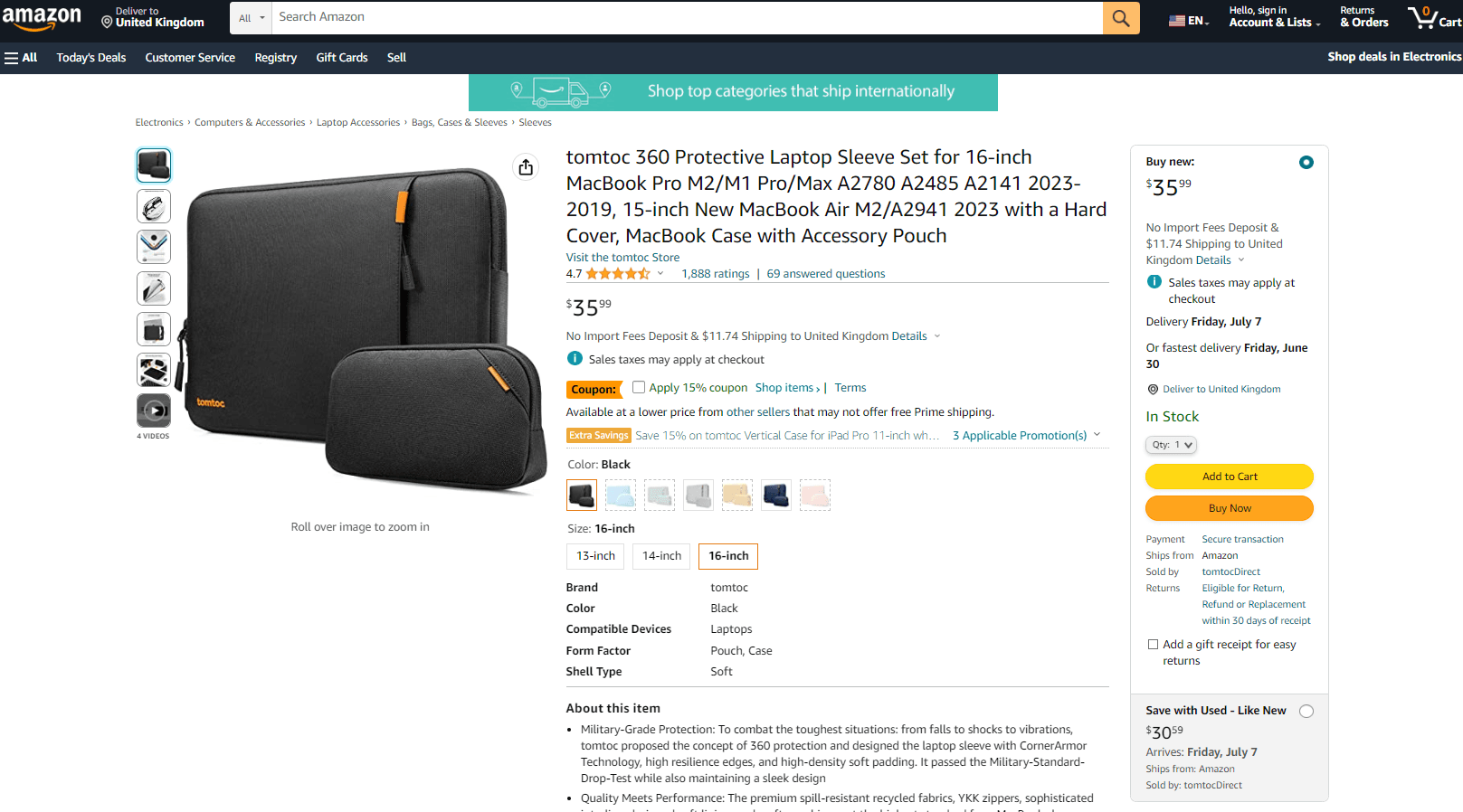
Scrape Amazon products in real time with the Amazon API.
To enable this feature, set the type=product parameter.
The Amazon Product feature returns a JSON object containing data related to the scraped Amazon product. Among others, you will get an overview of:
search_informationkeywordsitem_highlightspricecategoriesimagesattributes
Amazon Product Parameters
The Amazon Product feature only takes one specific parameter:
| Parameter | Required | Type | Description |
|---|---|---|---|
product_id | ✅ | string | The ID of the Amazon product you want to scrape, also known as the ASIN. |
Your full GET request should then be sent to the following address:
https://ecom.webscrapingapi.com/v1?engine=amazon&api_key=<YOUR_API_KEY>&type=product&product_id=<PRODUCT_ID>How to Get Amazon Product ID
Amazon identifies products by the ASIN, or Amazon Standard Identification Number. Our API uses the same identifier to scrape an Amazon product.
Find the Amazon ID in the URL
The product ID can be extracted straight from the URL. Amazon product URLs use this structure:
https://<AMAZON_DOMAIN>/<PRODUCT_NAME>/dp/<PRODUCT_ID>Find the Amazon ID on Page
Check the Additional Information or Product Information section, depending on the Amazon domain you are searching on.
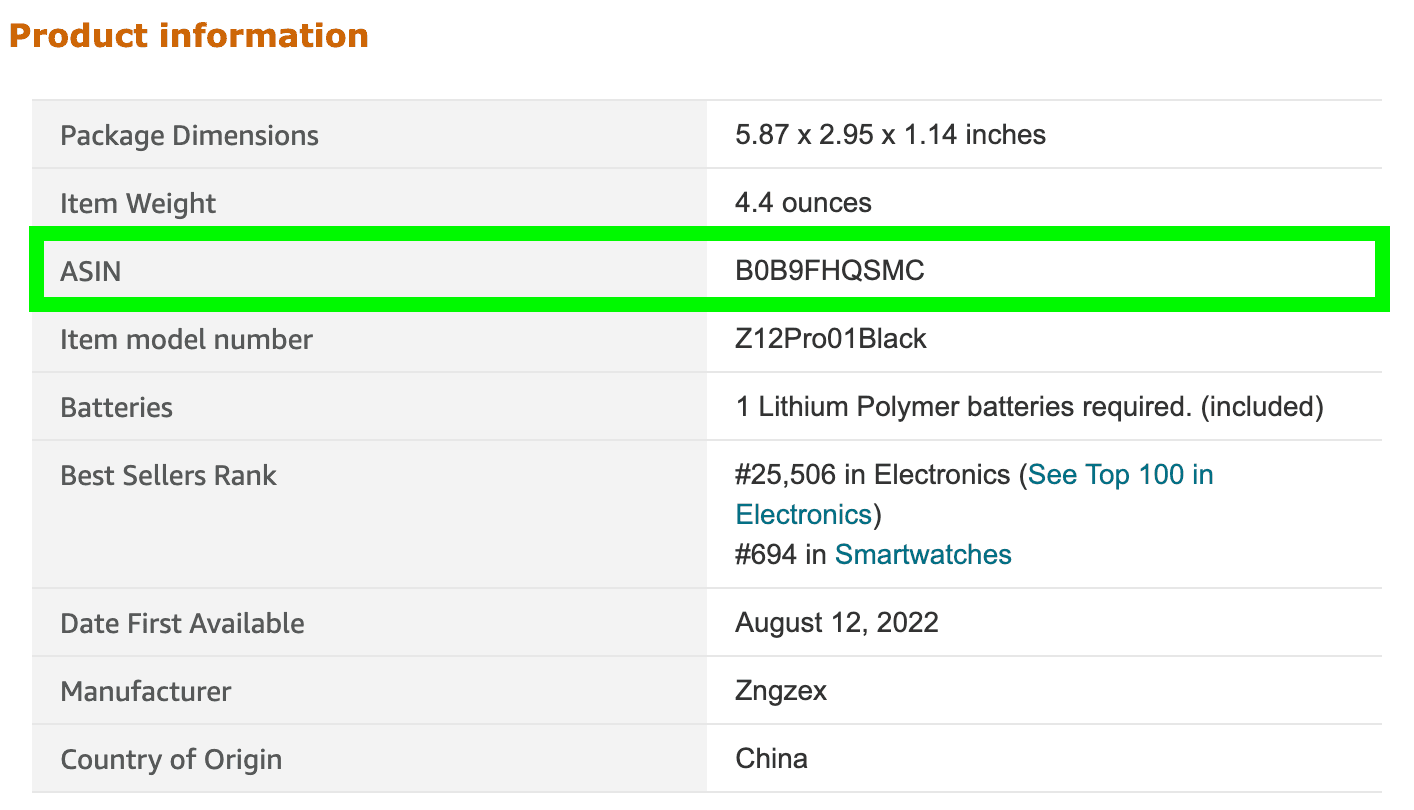
Find Amazon ID in Product Information
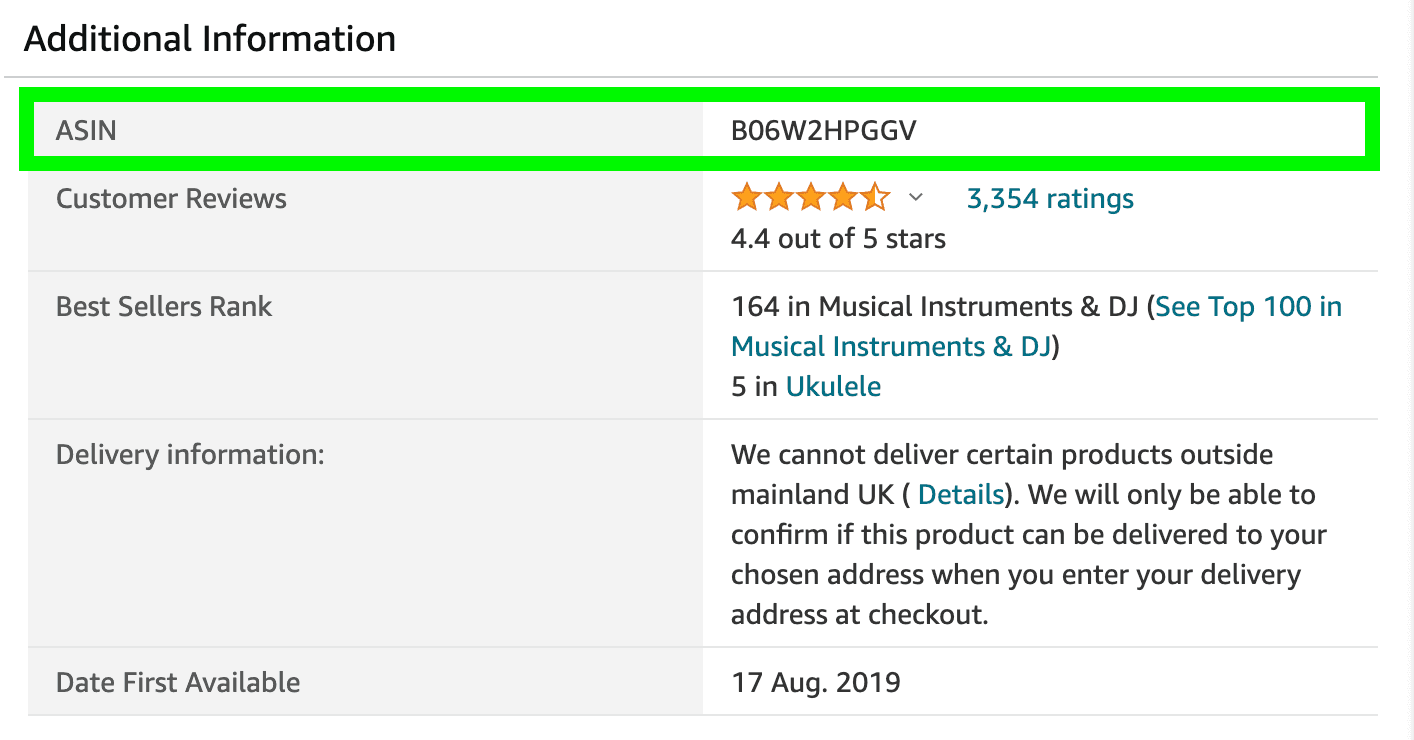
Find Amazon ID in Additional Information
Amazon Product Integration Examples
curl --get "https://ecom.webscrapingapi.com/v1" \
  --data-urlencode "engine=amazon" \
  --data-urlencode "api_key=<YOUR_API_KEY>" \
  --data-urlencode "type=product" \
  --data-urlencode "product_id=B098RNZGNW"
const API_KEY = "<YOUR_API_KEY>";
const SCRAPER_URL = "https://ecom.webscrapingapi.com/v1";
const params = new URLSearchParams({
engine: "amazon",
api_key: API_KEY,
type: "product",
product_id: "B098RNZGNW",
});
const response = await fetch(`${SCRAPER_URL}?${params}`);
const data = await response.text();
console.log(data);import requests
API_KEY = "<YOUR_API_KEY>"
SCRAPER_URL = "https://ecom.webscrapingapi.com/v1"
PARAMS = {
"engine": "amazon",
"api_key": API_KEY,
"type": "product",
"product_id": "B098RNZGNW",
}
response = requests.get(SCRAPER_URL, params=PARAMS)
print(response.text)<?php
$apiKey = '<YOUR_API_KEY>';
$scraperUrl = 'https://ecom.webscrapingapi.com/v1';
$query = http_build_query([
'engine' => 'amazon',
'api_key' => $apiKey,
'type' => 'product',
'product_id' => 'B098RNZGNW',
]);
$response = file_get_contents("{$scraperUrl}?{$query}");
echo $response;package main
import (
"fmt"
"io"
"net/http"
"net/url"
)
func main() {
apiKey := "<YOUR_API_KEY>"
baseURL := "https://ecom.webscrapingapi.com/v1"
params := url.Values{}
params.Add("engine", "amazon")
params.Add("api_key", apiKey)
params.Add("type", "product")
params.Add("product_id", "B098RNZGNW")
req, _ := http.NewRequest("GET", baseURL+"?"+params.Encode(), nil)
res, _ := http.DefaultClient.Do(req)
defer res.Body.Close()
body, _ := io.ReadAll(res.Body)
fmt.Println(string(body))
}import java.net.URI;
import java.net.http.HttpClient;
import java.net.http.HttpRequest;
import java.net.http.HttpResponse;
public class Main {
public static void main(String[] args) throws Exception {
String apiKey = "<YOUR_API_KEY>";
String url = "https://ecom.webscrapingapi.com/v1"
+ "?engine=amazon"
+ "&api_key=" + apiKey
+ "&type=product"
+ "&product_id=B098RNZGNW";
HttpRequest request = HttpRequest.newBuilder()
.uri(URI.create(url))
.GET()
.build();
HttpResponse<String> response = HttpClient.newHttpClient().send(
request,
HttpResponse.BodyHandlers.ofString()
);
System.out.println(response.body());
}
}using System;
using System.Net.Http;
using System.Threading.Tasks;
class Program
{
static async Task Main()
{
var apiKey = "<YOUR_API_KEY>";
var url = "https://ecom.webscrapingapi.com/v1"
+ "?engine=amazon"
+ "&api_key=" + apiKey
+ "&type=product"
+ "&product_id=B098RNZGNW";
using var client = new HttpClient();
var response = await client.GetAsync(url);
var body = await response.Content.ReadAsStringAsync();
Console.WriteLine(body);
}
}require "net/http"
require "uri"
api_key = "<YOUR_API_KEY>"
uri = URI("https://ecom.webscrapingapi.com/v1")
uri.query = URI.encode_www_form({
engine: "amazon",
api_key: api_key,
type: "product",
product_id: "B098RNZGNW",
})
response = Net::HTTP.get_response(uri)
puts response.bodyResponse example
When Amazon provides Item Highlights, product_results.item_highlights contains the separate customer-facing string shown beneath the title. The field is omitted when unavailable.
{
  "search_parameters": {
    "amazon_url": "https://www.amazon.com/dp/B098RNZGNW",
    "engine": "amazon",
    "amazon_domain": "amazon.com",
    "device": "desktop",
    "type": "product",
    "product_id": "B098RNZGNW"
  },
  "search_information": {
    "organic_results_state": "Results for exact spelling"
  },
  "product_results": {
    "product_id": "B098RNZGNW",
    "title": "Example Amazon Product",
    "item_highlights": "Foldable card table for board games, dining, and extra seating",
    "price": "$59.99",
    "rating": {
      "rating": "4.6 out of 5 stars",
      "total_ratings": 12438
    },
    "categories": [
      "Electronics",
      "Headphones"
    ],
    "images": [
      "https://m.media-amazon.com/images/I/example-1.jpg"
    ],
    "attributes": {
      "Brand": "Example",
      "Color": "Black"
    }
  }
}